
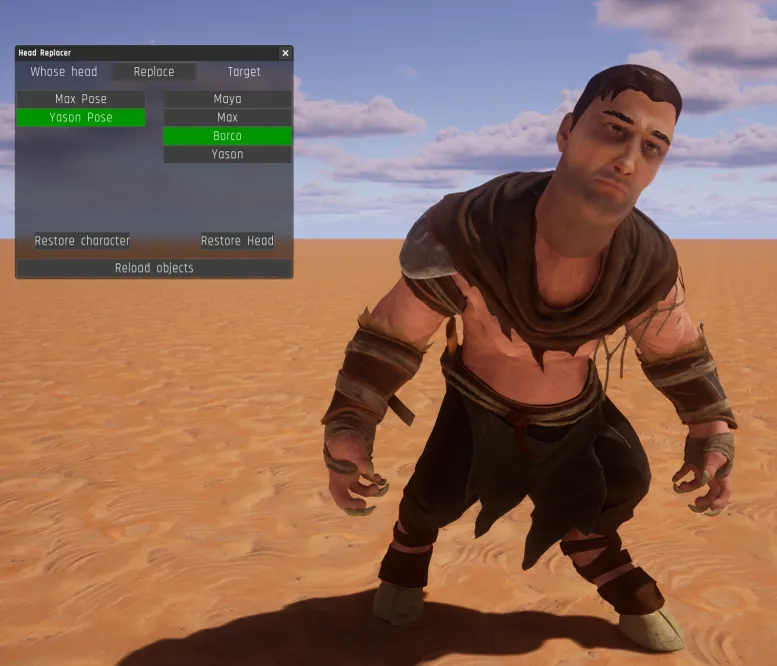
Tool - Head Replacer
CREATED BY Orachigami, huge thanks!
This tool can be used to replace a head of one character with a head of another.
How to use:
Switch to TAB mode.
If there is no additional UI window then press "P".
Select a pose object from the left list (this pose will be shrunk until only head remains).
Select a character from the right list (where the head will be placed).
Click "Replace".
If the head seems detached then try any of these steps:
Leave the TAB mode.
Click "Restore character" and click "Replace" again.
If you don’t see a desired character or pose in lists then click "Reload objects". You can adjust the head placement and scale by manipulating the BaseNeck control object. You can save a modified character to a collection. Head Replacer group is not required for replaced heads to keep working.