






C13 AEGIS 1.65 early access and public release
As of 2nd of March 2024 this post now includes the updated version with the fix for Pure 0.250
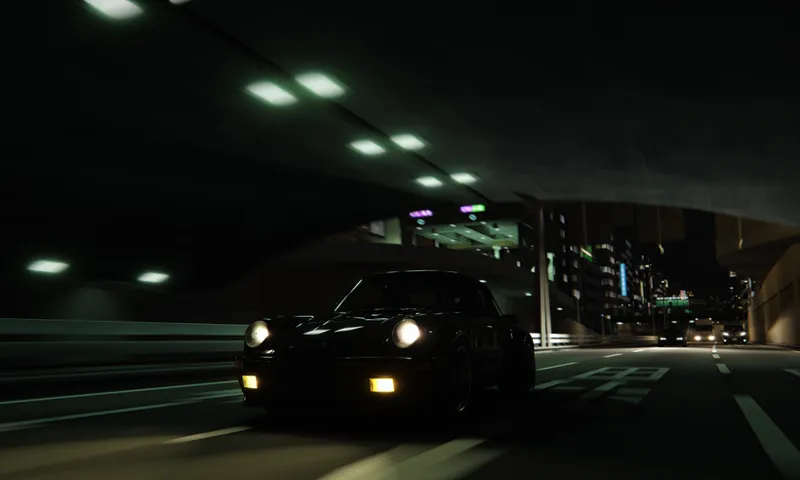
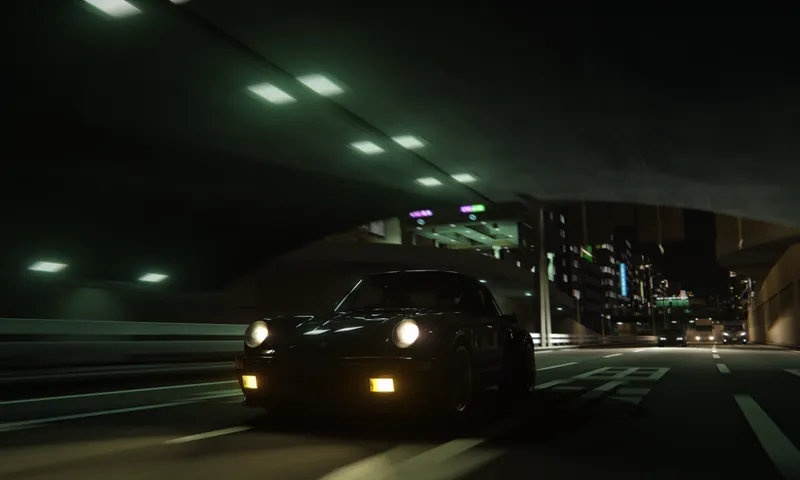
The moment has arrived! After a lot of work, the filter is in a great place for wider public release. What started as minor tweaking post 1.44, eventually evolved into a substantial rework of the color setup behind the tonemapping, additional support for new pure ambient lighting, and was finally capped off with some interface cleanup over the past few days. Let's go over some of that here. But first i'd just like to emphasise that this build does not include the new driving effects dubbed "Impact Vision". While it's a cool effect, it does need some more testing and potentially tweaking to ensure usability and stability across future CSP and Pure versions. Now for the rundown.
Simplified calibration
In an effort to keep the PP tab of pure config simple and intuitive, i've removed AE limits sliders, and reworked the midpoint brightness sliders from the past few test versions. You now have a single calibration adjustment that covers all scenarios and you can set and forget.
This is joined by a vibrance adjust slider, which has replaced the "High sat mode" toggle. It's adjusting color vibrance at the saturation portion of tonemapping, which is more intuitive and granular than saturation.
New user adjustments
The user adjustments section has also seen changes, now including "Power of the sun" and "Filmic grading". You're familiar with the former, but the latter is new. "Filmic grading" provides some milky blacks in high exposure scenarios, giving that, yes, filmic look.
New glare profiles
If you've last use 1.44, this is completely new. I've implemented a way to modify glare styles on the fly, and you can select from some presets here.
Default
GT
Gentle
Lens Flare
Le Mans
New tonemapping and other options
It's time we bid fare-well to Drago. Most feedback from users for drago was it's usability for better low end visibility. So Drago is replaced with a flatter contrast C13 Curve.
Filmic Curve
Flat Curve
The flat curve provides much better cockpit visibility at day, and has has a minor vibrance adjustment to prevent colors from washing out.
The last new thing is Dashcam mode. This enables a distortion effect and forces certain options on, to give the feeling of a low res, limited dynamic range camera effect.
It's a toy, have fun with it.
That's it for now. Some notes on compatibility.
I srongly suggest using CSP 0.2.1 or newer and Pure 0.238
As always thank you so much for your support, i couldn't do this without it.
update: i forgot to re-invert a lighting setting. the differences are minor, but more obvious at dusk/dawn on tracks without bounced light support. Version number will stay the same.
Comments (24)
I cant see the pp configurations options
you must install manually, not via content manager
i think with the new pure this is broken
It is. Looking into it
I am unable to find how to turn on dashcam mode within PP tab in pure
Are you missing the UI elements?
hi , i need to delete the preview 1.54 ? before install this one ? thanks mate xx
generally no, but do make sure both files get overwritten.
How do i change those settings like brightness and glare settings. Where do i find it
They are in the pp tab of pure config
Thank you very much, your PP filter is the best in my opinion, and i test alot of PP filter, it looked very good on Shutoko and every maps, love it <3
Thank you!!! I will keep supporting you for all this good work until AC dies!!
where can i get that evo!!
Keep an eye on Aegis Visuals channels
how to install/configure?
Install filter by manually extracting system folder from archive to assetto root. Then pick filter in video settings and adjust settings in pp tab of pure config to your preferences
I just tried the filter but there is an issue that occurred, my pure ( v0.238) and csp (v0.23) is updated but the csp script keep saying that the there is no script for the ppf making me not have the user profiles and the glare profiles options , anyone knows how to fix this?
i only downloaded C13AEGIS_1.65_public.zip file
Thank you for all the amazing work! I am mainly a VR player and would love to get feedback from you regarding the best VR settings using your filter. Do you recommend any specific settings?
Unfortunately as I am not a VR player I can't really help much on that front. Perhaps asking in the discord would yield better results
ty for this update! where can i get this mitsu?
Keep an eye on aegis visuals for announcements
Thank a lot for all you effort to improve constantly this amazing PPFilter! ❤️
Thank to you for this very impressive work👏👏👏💯💯💯